Generator, Battery, or Neither: Powering a Home That Never Fully Shuts Off
A home used to go quiet during a power outage. The lights went off, the refrigerator hummed back to life once the power returned, and life paused until the utility caught up. That is not how a modern smart home works anymore. Network equipment, security systems, cameras, and home automation hubs are designed to run continuously, and a home that never fully shuts off needs a very different answer to the question of backup power.
At GE Group, one of the most common planning conversations we have with homeowners is generator vs battery backup, and the honest answer is that it depends on what "always on" actually means for your household. This guide breaks down what each option offers, where each one falls short, and how to choose the right home backup power option for your home.
Why "Never Fully Shuts Off" Changes the Conversation
A decade ago, backup power mostly meant keeping the lights and refrigerator running. Today, an always-on smart home power plan has to account for systems that are either always active or that people now expect to work instantly, without a restart.
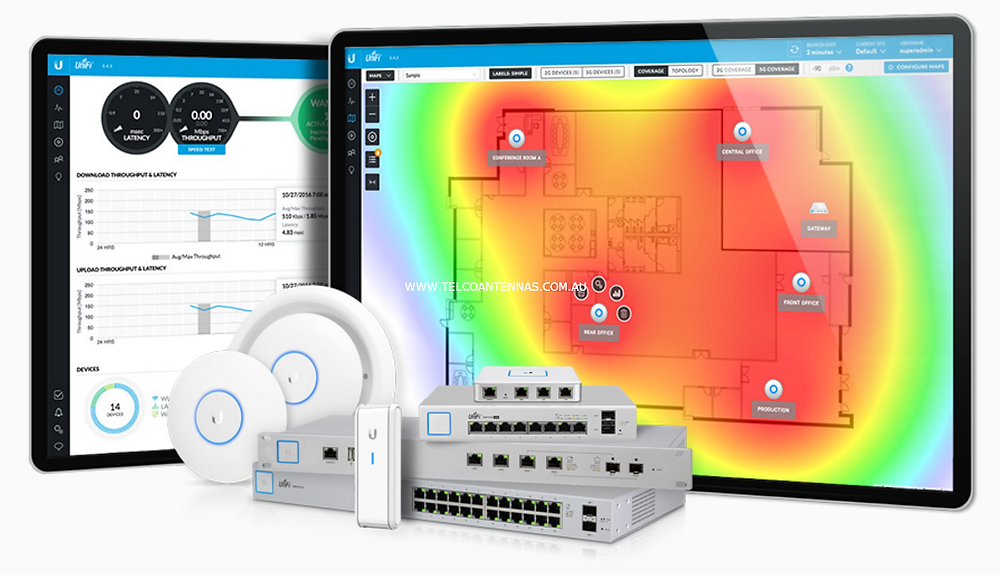
Networking equipment, since a home offline means security cameras, smart locks, and automation systems all go dark at once
Security systems and cameras, which are most valuable during exactly the kind of event that also causes an outage
Refrigeration and medical equipment, where even a short gap matters
Home automation hubs controlling lighting, climate, and access control
Anyone working from home, where a dropped connection has real consequences
Whole Home Generator: What It Offers
A standby generator is the traditional answer to backup power, and for good reason. It runs on natural gas or propane, starts automatically within seconds of an outage, and can power an entire home for as long as fuel is available.
Strengths: A whole home generator provides essentially unlimited runtime during an extended outage, and it can carry heavy loads like HVAC systems and well pumps that a battery alone often cannot sustain for long.
Trade-offs: A generator typically takes ten to thirty seconds to kick in, which means a brief gap in power before it takes over. It also requires fuel, regular maintenance, and in many areas, permitting and clearance requirements that affect where it can be installed.
Home Battery Backup: What It Offers
A home battery backup system stores energy and switches over instantly when the grid goes down, with no gap in power at all. That instant transition is exactly what an always-on network or security system needs.
Strengths: Seamless, silent, uninterrupted power for a smart home, with no fuel to store or engine to maintain. Paired with solar, a battery can also reduce your reliance on the grid day to day, not just during outages.
Trade-offs: Battery capacity is finite. Depending on system size and what you run on it, a battery backup vs generator cost comparison usually shows a battery covering hours to a day or two of essential loads, not the extended runtime a generator can sustain during a multi-day outage.
The real question is not generator or battery. It is which loads in your home cannot tolerate any interruption at all, and which ones just need to come back within a reasonable window.
Cost Considerations
Cost comparisons between the two options depend heavily on home size, fuel availability, and how much of the home you want protected.
Generators typically cost less upfront for whole-home coverage but carry ongoing fuel and maintenance costs
Battery systems cost more per unit of backup capacity but have minimal ongoing maintenance
Permitting, clearance requirements, and electrical panel upgrades can affect either option's total installed cost
Pairing a smaller battery with a generator often costs less than oversizing either system alone
When Neither Alone Is Enough: A Hybrid Approach
For many always-on smart homes, the best power resilience answer is not choosing one system, but combining them. A battery handles the instant, gapless transition that networking and security equipment need, while a generator takes over for sustained power during a longer outage. This hybrid approach gives you uninterrupted power smart home continuity in the first seconds of an outage, backed by unlimited runtime if the power stays out for days.
How to Choose the Right Home Backup Power Option
List every system in your home that truly cannot tolerate a gap in power, even for a few seconds.
Estimate how long a typical outage lasts in your area, and how often extended, multi-day outages happen.
Decide whether whole-home coverage is the goal, or whether protecting critical circuits is enough.
Weigh the upfront cost of each option against ongoing fuel, maintenance, or capacity limitations.
Talk with your integrator about whether a hybrid battery-and-generator setup fits your home's power profile.
A Power Outage Protection Checklist for Smart Homes
Identify which circuits power your network equipment, security system, and home automation hub.
Confirm your equipment room has backup power routed to it specifically, not just general household circuits.
Test your chosen backup system's transfer time and confirm it matches what your critical systems can tolerate.
Schedule regular maintenance for a generator, or monitor battery health and capacity over time.
Review your setup annually as you add new smart home devices that draw additional power.
Plan Power Resilience with GE Group
Choosing between a generator, a battery, or both comes down to how your specific home uses power and which systems simply cannot go dark. GE Group helps homeowners map out their always-on systems first, then designs a resilient home power system built around those real requirements, not a generic recommendation.